


All Docs Reader - View & Edit
4.432.00 Reviews
App Specs
- Version
- 1.6.1
- Updated On
- License
- Free
- Downloads
- 100,000+
- Developer
- Fancy Mobile Apps
- Categories
- Tools
- Platform
- Android
Screenshots
 Analysis by AppCompare
On a shared phone or tablet, document clutter can become a small household problem: one person needs a PDF, someone else has a spreadsheet, and the next person is looking for a presentation. All Docs Reader - View & Edit is built around the appeal of handling different document types in one place, rather than making everyone hunt through separate apps. I see the most value in that simple, practical role—especially when the device is used for quick checks and light edits, not as a replacement for a full desktop office setup.
Where one reader can help a household
A realistic use is sorting out a school or community event. One person opens a PDF with the schedule, another checks a Word document with notes, and someone else needs to look over an Excel budget. A single document tool can make those handoffs less awkward, because the household does not have to switch between several viewers just to read different formats. The benefit is convenience, not automatic coordination: people still need to agree on which file is current and where it is saved.
This kind of app is most useful when the task is immediate: read a form before filling it in, check a timetable while out, or make a small correction before sending a document back. If a file is important, I would still keep a clear original and confirm that any changes have been saved where I expect. A mobile editor is handy for a quick fix, but it is not the place I would rely on for complex formatting or careful spreadsheet work.
Keeping shared-device use orderly
When several people use one device, the first question is not only whether an app can open files; it is how each person will avoid confusing their work with someone else’s. I would use clear filenames and folders, such as separating school forms from household bills, and make a habit of checking the document name before editing. That small routine matters more than it sounds: a capable editor cannot prevent someone from changing the wrong copy.
I would also treat account access as a separate decision from document viewing. If a household member connects a personal cloud account, the files available through that account may be different from what another person expects on the same device. Before importing or editing a shared document, decide whose account should own the working copy and where the finished version belongs. That avoids the common muddle of having one person’s changes saved somewhere another person cannot readily find.
Getting Started with All Docs Reader
First things first, downloading and setting up All Docs Reader is a breeze. Available on both Android and iOS, just a quick trip to your app store, and you're ready to roll. Once installed, the app greets you with a neat and user-friendly interface. It's refreshing to see everything so intuitively laid out. You can tell it's designed for people who want to get things done without fiddling around.
Diving into Features
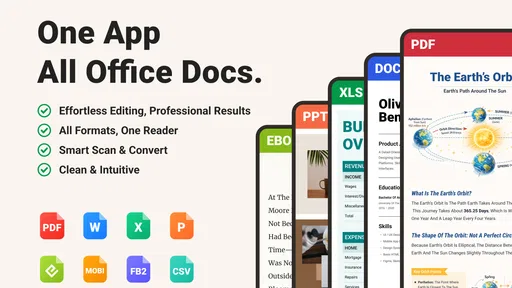
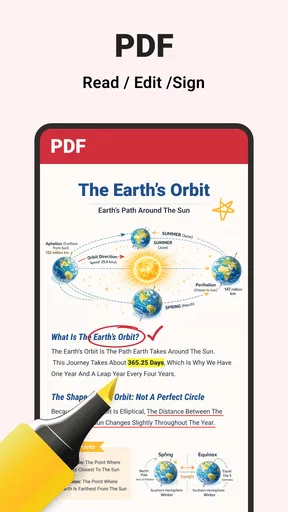
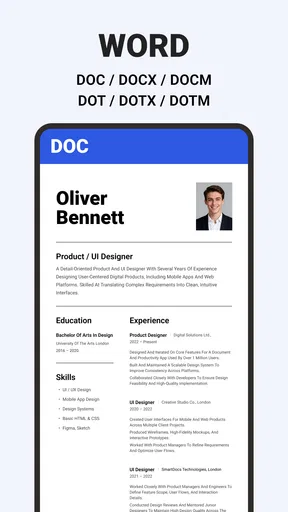
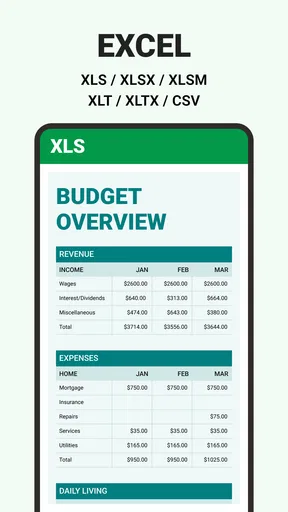
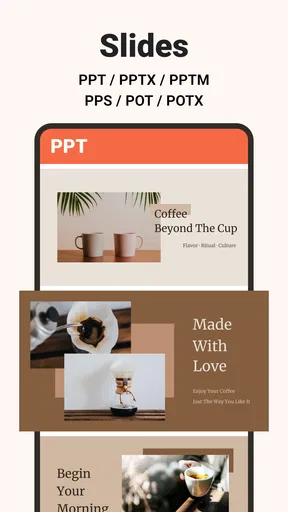
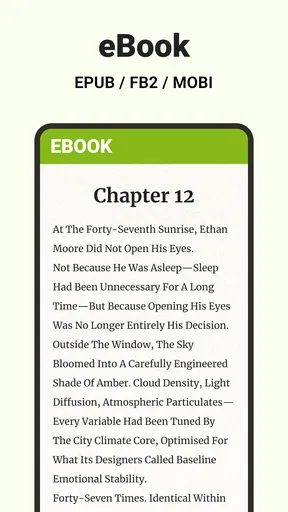
Now, the real magic begins when you start using the app. This nifty tool supports a wide array of formats — PDFs, Word documents, Excel sheets, PowerPoint presentations, you name it. It's like having a mini office suite on your phone. The document viewer is sleek, and everything loads up fast, even those chunky PDFs. No more staring at a loading wheel forever!
Worth Reading Before You Choose

EA SPORTS FC Mobile 26 Is a Bigger Football Game, but It Takes Time

Flipboard Shows What News Apps Must Do Beyond the Feed

Switching to Android Auto Means Rethinking Your Driving Routine

Google Calendar Makes a Crowded Week Easier to Manage

Ludo King Makes the Most of the Minutes Between Plans

Baby Panda World Brings Quick Play to Modern Phones, but Its Game Library Feels Busy
But wait, there's more! The editing capabilities are quite impressive. Whether it’s tweaking a text document or adjusting an Excel sheet, the tools are robust enough for most tasks. I found the text editor particularly handy for making quick edits on the go. Plus, the app’s ability to sync with cloud services means you can pull in documents from Google Drive, Dropbox, or OneDrive without breaking a sweat.
Making edits without losing track
For a shared file, I would begin by opening the version that everyone recognizes, then make only the changes that are needed for the immediate task. Before passing the device to someone else, I would check the filename and location of the edited copy. This is a useful habit with any mobile document editor: it reduces the chance that a helpful last-minute tweak becomes an accidental overwrite or an untraceable duplicate.
There is also a practical trade-off between a consolidated reader and a dedicated office app. A broad-format tool is convenient when you encounter PDFs, text files, spreadsheets, and slides in the same week. A specialist word processor or spreadsheet app is usually a better choice when layout precision, advanced formulas, or collaborative revision is central to the job. I would use this app to review and make modest changes, then switch to a dedicated tool for work where every page break or calculation needs close control.
User Experience and Design
In terms of design, the app keeps things simple and elegant. The color scheme is easy on the eyes, and navigation is a no-brainer. I loved how the menus are straightforward; everything is where you expect it to be. It’s clear that a lot of thought went into making the user experience as smooth as possible. The search functionality is also a standout. Finding specific files is a cinch, which is a lifesaver when you're dealing with a heap of documents.
Search is most helpful when a household has settled on consistent file names. If one person saves a document as “form final” and another uses a vague name, finding the right version becomes a people problem rather than an app problem. I would include the subject and a date or version cue in important filenames, then search with the most distinctive word. That approach is particularly useful for recurring documents such as permission forms, shared schedules, and bills.
Performance Matters
Performance-wise, the app holds up remarkably well. I tested it on both an older Android phone and a newer iPhone, and it ran smoothly on both. No lag, no crashes — just solid performance all around. This makes it a reliable choice whether you're checking documents during a commute or editing a last-minute presentation.
For everyday use, I would still distinguish between opening a file and being ready to work on it. A document can be easy to view on a small screen while remaining awkward to edit accurately, especially a wide spreadsheet or a slide deck with detailed layout. If precision matters, zoom in and review the result before sharing it. A quick phone edit is best for a clearly bounded change, not for rebuilding a complicated document while in a hurry.
Age, trust, and choosing the right role
The app is rated for Everyone, which makes its age classification broad, but that is not the same as a household sharing plan or a guarantee that every document is suitable for every user. Files can contain private or sensitive information regardless of the reader’s age rating. I would keep adult paperwork and personal account access under an adult’s supervision, and give younger users only the documents they actually need to open. Clear expectations about what may be edited are more useful than assuming a general-purpose reader will manage those boundaries for you.
Developed by Fancy Mobile Apps, this is a free tools app with optional in-app purchases ranging from $2.99 to $89.99 per item. Its average rating is 4.4 from 471 ratings, and it has 100K+ installs. The current version is 1.6.1, it was released on February 10, 2026, and it requires iOS 8.1 or later. Those details make it easier to judge whether it fits your device and budget: the basic app is free, while purchases can add a cost, so I would check what an upgrade offers before paying rather than treating every feature as automatically included.
Why You’ll Love It
So, why should All Docs Reader earn a spot on your home screen? For starters, its versatility is unmatched. Being able to view and edit a plethora of document types in one app is a game-changer. It’s perfect for students, professionals, or anyone who deals with documents regularly. Plus, the offline capabilities mean you're never left high and dry without access to your files.
I would recommend it most to someone who regularly receives different kinds of documents and wants a convenient mobile place to inspect them. It is less compelling for a person who only reads PDFs, since a basic PDF reader may be enough, or for someone who depends on advanced editing and team workflows, where a full office suite is a better fit. The question to ask is whether you value having one broad tool on hand more than having a specialist app for each demanding task.
It's also worth noting that the app is constantly being updated with new features and improvements. The developers are clearly committed to keeping it top-notch, which is always a good sign. And let's not forget the community aspect — if you ever run into issues, there's a robust support network ready to help out.
A practical household verdict
For a household sharing a device, this app makes the most sense as a convenient reader and light editor, with people taking responsibility for account boundaries and file organization. It can help with the everyday handoff from a schedule to a form or from a PDF to a spreadsheet, but it cannot decide who should see a document or which copy is authoritative. If everyone keeps filenames understandable and checks before editing, its all-in-one approach can save time. If privacy separation, advanced collaboration, or exact formatting is the priority, choose a different workflow instead.
Wrapping It Up
In conclusion, All Docs Reader - View & Edit is a powerhouse of an app that’s both functional and easy to use. Whether you’re a document warrior or a casual user, this app makes managing your files a breeze. It's like having your own personal assistant, ready to handle anything you throw its way. If you haven't tried it yet, give it a go — you might just wonder how you ever got by without it.
Ready to dive into the world of seamless document management? You can snag All Docs Reader from your app store and start making your life just a little bit easier. Trust me, this app is a keeper!
Pros
- Supports multiple file formats seamlessly.
- User-friendly interface with intuitive navigation.
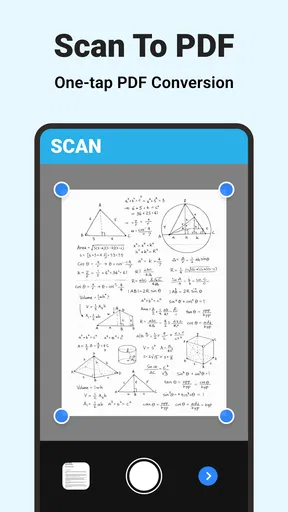
- Quick file conversion capabilities.
- Offline access to documents available.
- Regular updates with new features.
Cons
- Ads can be intrusive during use.
- Premium features require a subscription.
- Limited cloud storage integration.
- Some features need internet connection.
- Occasional lag with large files.
FAQs for All Docs Reader - View & Edit
What file formats does All Docs Reader support?
All Docs Reader supports a wide range of file formats, including PDF, DOC, DOCX, XLS, XLSX, PPT, PPTX, TXT, and more. This versatility makes it an excellent choice for users who need to view and edit various types of documents without having to switch between different apps.
Can I edit documents within All Docs Reader?
Yes, All Docs Reader allows you to not only view but also edit documents. The app provides essential editing tools for text documents, spreadsheets, and presentations, enabling you to make necessary changes on the go. This feature is particularly useful for professionals who need to work remotely.
Is All Docs Reader available for both Android and iOS?
All Docs Reader is available for both Android and iOS platforms, ensuring that users can access their documents seamlessly across different devices. This cross-platform availability is ideal for users who switch between mobile operating systems or use multiple devices.
Does All Docs Reader require an internet connection to function?
While All Docs Reader can be used offline for viewing and basic editing, certain features like cloud storage integration or collaborative editing may require an internet connection. Users can easily download and store documents on their device for offline access, ensuring productivity anywhere.
Are there any in-app purchases or subscriptions in All Docs Reader?
All Docs Reader offers a free version with basic features, but there may be in-app purchases or subscription options for advanced features and functionalities. Users can choose to upgrade to enhance their experience, such as unlocking premium editing tools or additional cloud storage options.


